
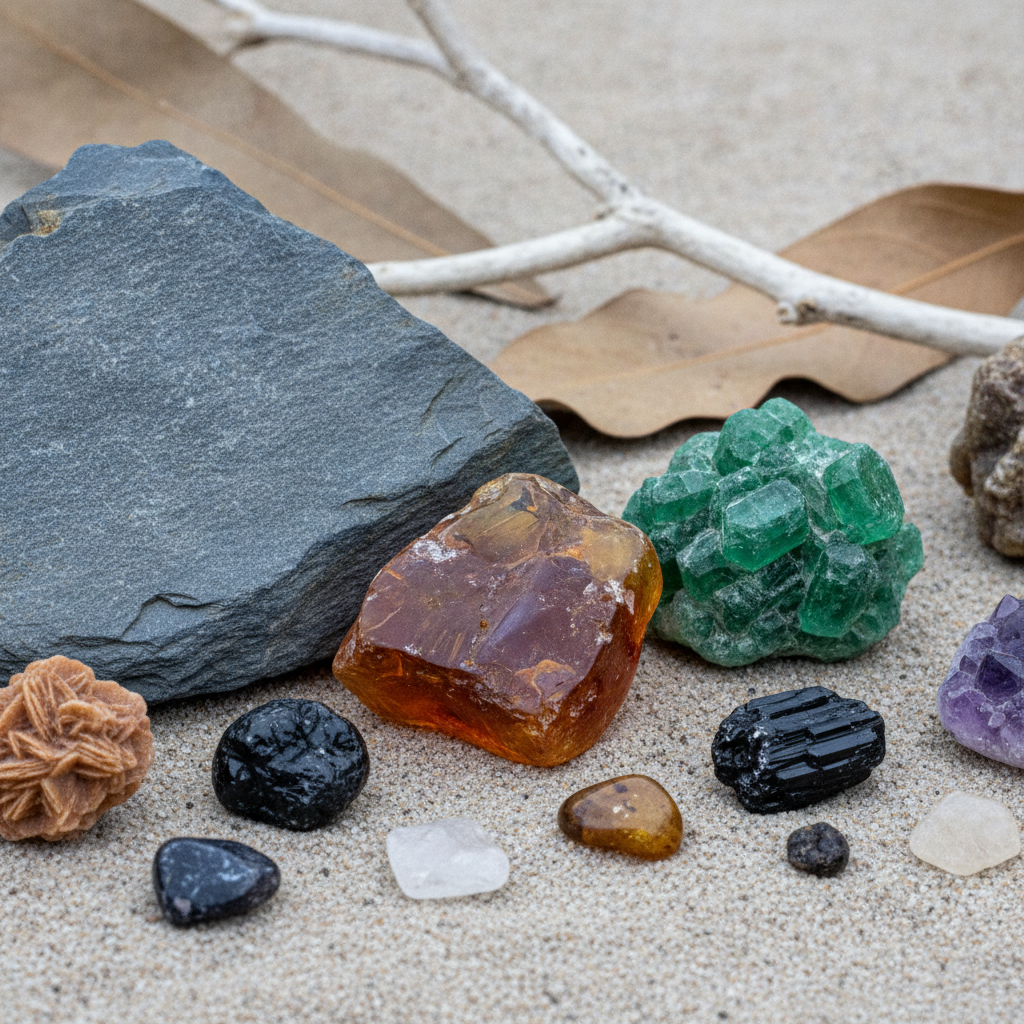
A stone identifier app is a fast way to turn a confusing pebble into a short list of minerals or rock types. It is not a lab certificate. Color is the least reliable clue in mineralogy, and phone photos exaggerate it. The useful workflow is narrower: take a diagnostic photo, read the top matches as hypotheses, then run one physical check that can actually separate those hypotheses. This guide is that workflow, written for beach cobbles, driveway gravel, estate-sale crystals, and the rough stones people pull out of a drawer and ask about.
Rock Identifier: Find Stone is built for that first pass. You photograph the specimen, get likely names with hardness, luster, and formation notes, and then decide what still needs a hands-on test. The sections below cover how to shoot, how to read a result, which common stones fool a camera, and when to stop and call the piece "unidentified" instead of forcing a label.
What a stone identifier app is actually matching
Most photo identifiers compare your image with a large set of labeled mineral, gem, and rock photographs. They respond to overall color, pattern, crystal outline, and surface shine. They do not measure chemistry. A quartz crystal and a piece of cut glass can share a photo silhouette. A weathered granite cobble and a piece of ceramic aggregate can share a speckled pattern. The app's job is to propose names that fit the picture. Your job is to notice which proposed names are even possible once hardness, streak, or grain structure enter the picture.
Treat every result as one of three outcomes:
- A clear category. The photo supports "banded chalcedony," "granite," or "mica schist," and a quick look at the specimen agrees. You can name it at that level with reasonable confidence.
- A short list. Two or three minerals remain, usually split by hardness or crystal form. Amethyst versus purple fluorite is the classic case. The app has done its work by giving you the list. The test does the rest.
- A mismatch. The top name contradicts something you can see, such as a sugary granular rock being called a single crystal, or a metallic flake being called a gem. Discard that name. Reshoot a cleaner face or stop.
Rock Identifier is most helpful in the second case, because the result screen gives you the properties you need for the tie-break instead of only a common name.
A photo routine that gives the app a fair chance
Bad photos create bad names. Build one routine and use it on every unknown so your results are comparable.
Dry the stone. Wet surfaces darken color and add glare. Beach stones that look black and glossy when wet often dry to dull gray basalt or greenish schist. Wipe it and wait until the surface is matte unless you are specifically documenting a wet sheen.
Use daylight, not a yellow lamp. North-facing window light or open shade keeps whites white. Overhead kitchen LEDs push amethyst toward gray and make rose quartz look brown. If you must use a lamp, add a second light from the side so crystal faces are not a single blown-out highlight.
Fill the frame with one face, then add context. The first photo should be the most informative surface, cropped tight: a broken face, a crystal termination, or a banded slice. The second photo should show the whole piece so size and overall shape are obvious. A third photo, shot from a low side angle, shows whether the surface is glassy, pearly, or earthy.
Show a fresh surface when you can. Weathering rinds on basalt, desert varnish on sandstone, and iron stain on quartz hide the real color. If the stone is already chipped, photograph the chip. Do not smash a specimen just to get a photo unless it is common gravel and you are comfortable destroying it.
Include a scale only in the context shot. A coin is fine. Do not let the coin dominate the close-up the app will score. Fingers in the frame also confuse some models because skin tones and creases become part of the pattern.
Skip filters, night mode, and portrait blur. Those features smear crystal edges and invent color. The app needs edges.
If the first result looks wrong, change the photo before you change your mind. Rotate the stone. Shoot the dull back instead of the sparkly face. A pyrite cube hiding on the back of a slate pebble will never appear in a photo of the slate side.
How to read hardness, luster, and streak on the result
A useful stone identifier app does more than print a name. Rock Identifier pairs matches with the properties teachers actually use. Read them in this order.
Luster is how the surface reflects light. Metallic luster means the stone looks like metal even on a fresh break: pyrite, galena, magnetite. Vitreous luster looks like broken glass: quartz, beryl, olivine. Pearly, silky, resinous, and earthy are the other common words. If the app says "vitreous" and your stone looks like chalk, the match is weak no matter how close the color is.
Hardness on the Mohs scale is a ranking, not a measurement in pounds. Quartz sits at 7. Fluorite sits at 4. Calcite sits at 3. Those gaps are large enough to feel with simple tools. A steel knife blade is roughly in the mid-5s. Window glass is about 5.5. A copper coin is about 3.5. Your fingernail is about 2.5. If two app matches are quartz and fluorite, you do not need a lab. You need to know whether the stone scratches glass. Test an inconspicuous edge of rough material. Do not drag a knife across a finished gemstone, a polished cabochon you care about, or anything set in jewelry. Hardness tests leave a groove.
Streak is the color of the powder left on an unglazed white porcelain tile. Hematite can look black, red, or metallic gray, but its streak is reddish brown. Pyrite leaves a greenish-black streak. Gold leaves a yellow streak and flattens rather than crushing. Many silicates, including quartz, have a white streak or no visible streak because they are harder than the tile. Streak is a rough-specimen test. It is the wrong tool for a faceted stone.
Crystal form and breakage separate lookalikes that share a color. Quartz has no flat cleavage; it breaks with a curved, glassy fracture. Calcite cleaves into rhombs. Mica peels into elastic sheets. Galena breaks into cubes. If the app offers both "quartz" and "calcite" for a clear piece, look at the broken corners before you look at the color.
Rock versus mineral. A mineral is one substance with an ordered structure. A rock is a mixture. Granite is quartz, feldspar, and mica grown together. The app may return either the rock name or the name of the most obvious mineral grain. Both can be right. If you see several grain sizes locked together, prefer the rock name and use the mineral name only for the grain you photographed on purpose.
Lookalikes a camera mixes up
This table is the confirmation layer. It lists pairs and trios that share a photo and split on a test you can actually do. Hardness numbers are the standard Mohs ranks for those minerals.
| What the photo suggests | The usual impostors | The split that works |
|---|---|---|
| Purple crystal or tumbled stone | Amethyst (quartz, 7), fluorite (4), dyed agate | Amethyst scratches glass. Fluorite does not, and it cleaves. Dyed agate shows color concentrated in bands or pits, not throughout a crystal. |
| Glassy clear points | Quartz (7), calcite (3), glass | Quartz scratches glass and does not fizz. Calcite cleaves into rhombs and fizzes in dilute vinegar. Glass has bubbles, mold seams, or conchoidal chips and no natural crystal faces. |
| Brassy metallic cubes | Pyrite (6–6.5), chalcopyrite (3.5–4), gold (2.5–3) | Pyrite is hard and brittle and streaks green-black. Chalcopyrite is softer and more yellow. Gold is soft, malleable, and streaks yellow. |
| Green transparent grain | Olivine / peridot (6.5–7), emerald (beryl, 7.5–8), green glass | Peridot has a greasy to vitreous shine and is almost always olive, not bluish green. Emerald is harder and usually included. Glass is softer than quartz and may hold bubbles. |
| Black glossy pebble | Basalt, obsidian, slag, tourmaline schist | Basalt is fine-grained and dull on a fresh break. Obsidian is natural glass with shell-shaped fracture. Slag often holds bubbles and flow folds. A schist shows aligned glitter. |
| Soft yellow chunks | Sulfur (1.5–2.5), orpiment, carnotite-bearing sandstone | Sulfur smells when warmed and is very soft. Bright yellow crusts on sandstone in the Colorado Plateau can be uranium minerals. Do not lick, powder, or pocket unknown yellow crusts from mine dumps. |
| Pink polished slab | Rose quartz, rhodochrosite, thulite, dyed stone | Rose quartz is translucent and hazy. Rhodochrosite often shows banding and is much softer (3.5–4). A cotton swab with acetone sometimes lifts dye from treated stone. |
Use one row, not all of them. If your piece is a purple tumbled stone, the first row is the whole decision. Scratch-testing a suspected gold nugget is reasonable on a tiny edge because gold smears and pyrite powders. Scratch-testing a museum piece is not reasonable at all.
One confirmation, then stop
After the app returns a short list, pick the single test that separates the top two names. Then stop. Extra tests on a soft or crumbly specimen destroy the features you might want later.
A practical order for rough unknowns:
- Photograph the dry, fresh face and scan it in Rock Identifier.
- Write down the top two names and their hardness numbers before you forget them.
- Check luster against the description. If it already fails, reshoot.
- If both names are below 7 and the piece is rough, try streak on the back of a ceramic tile.
- If the names straddle the glass line (one harder than 5.5, one softer), test an edge against glass.
- If one name is calcite or dolomite and the other is not a carbonate, a drop of household vinegar on powder from a scratch will fizz for calcite. Dolomite fizzes weakly, often only as powder. Quartz does not fizz.
Record the result in a note next to the photo: place found, wet or dry color, what it scratched, and the name you kept. A stone identifier app gets more useful when you can compare today's result with last month's note instead of re-learning the same purple stone every time.
Cases where the app should lose on purpose
Some materials are common and consistently misnamed from photos alone.
Glass and cullet. Old bottle glass rolls into cobbles. It can be green, brown, blue, or white. It breaks with curved chips and may contain bubbles. It does not have cleavage. "Obsidian" and "quartz" are the usual wrong answers. Obsidian is a specific volcanic glass, usually black, mahogany, or gray, from volcanic ground. A green pebble from a city river is more likely bottle glass than obsidian.
Slag and clinker. Industrial slag from old iron works and railroad beds is glassy, vesicular, and sometimes bright blue or green. It is not a gemstone, even when it is pretty. Bubble holes and a found-in-fill context outweigh a photo match to "amazonite" or "chrysocolla."
Heat-treated and dyed gems. Citrine sold in shops is often heat-treated amethyst. Dyed howlite is sold as turquoise. A photo of a finished cabochon cannot see the dye in fractures. The app may correctly say the material looks like turquoise. That is a visual match, not a treatment report. For anything you might sell or insure, a gemologist with magnification is the next step, not another scan.
Ore minerals and mine-dump crusts. Colorful secondary minerals can contain arsenic, lead, or uranium. A stone identifier app may give you a plausible name such as orpiment, mimetite, or autunite. That name is a reason to wash your hands and stop handling the piece, not a reason to scratch, taste, or store it in a bedroom. Identification apps do not replace a hazardous-materials judgment.
Tiny grains in a larger rock. If you photograph a whole granite and hope for the black mineral alone, you will get "granite." Crop to the grain, or accept the rock name.
A worked example: the purple driveway stone
A rounded purple piece comes out of landscaping gravel. Rock Identifier returns amethyst first and fluorite second, with a lower suggestion of dyed agate. The stone is tumbled, so crystal faces are gone. It does not show cleavage planes. An edge scratches a glass bottle. Fluorite at hardness 4 would not scratch glass. Dyed agate would likely show color sitting in cracks rather than a uniform translucent purple. Amethyst, which is quartz, fits the hardness and the even color. The honest label is "amethyst quartz, tumbled, likely from decorative gravel," not "gem amethyst crystal." That is a successful use of a stone identifier app: the photo created the list, and glass did the sorting.
A second piece from the same bag is pale purple, soft, and breaks into flat sheets. It does not scratch glass. Fluorite moves to the top. Same color family, opposite answer, because the test was allowed to overrule the first photo impression.
Using the app with kids, classes, and collection drawers
The educational value is the sequence, not the badge that says a name. Have students predict luster before they scan, then compare their word with the result. Have them explain which match they rejected and why. A classroom set of quartz, calcite, mica, and a piece of glass is enough to teach the whole method. Keep vinegar and streak plates optional. Keep any yellow mine mineral out of the lesson unless you already know it is safe.
Collectors can use the same habit at shows. Scan the rough, read hardness, and ask the dealer what test they used. You will learn more from the conversation than from winning an argument with the label. For finished jewelry, use the app only as a prompt for questions. A photo cannot replace refractive index, and it should not be the reason you pay gemstone prices.
When to get a human
Send a specimen onward when the value is high, the short list includes a toxic mineral you cannot rule out, or two careful photo sessions still disagree with every physical check. University mineral museums, local rock clubs, and certified gemologists exist for that step. Bring the photos, the hardness note, and the place it was found. Provenance is data. "Bought in a mixed lot" is also data, and it should lower your confidence.
A stone identifier app earns its place at the start of that chain. Shoot a dry fresh face, read luster and hardness before you fall in love with the name, and use one separating test. Rock Identifier gives you the short list and the property notes. The stone still has to agree.
Frequently Asked Questions
What is a stone identifier app best at?
It is best at turning one clear photo into a short list of rocks or minerals with the properties that separate them. It is weakest at assigning a precise variety name to a wet, weathered, or heavily filtered picture.
Can Rock Identifier tell a rock from a mineral?
It can return either, depending on what fills the frame. A mixed granular stone should be read as a rock. A single crystal or one isolated grain can be read as a mineral. If the name and the texture disagree, trust the texture and reshoot.
Should I do a hardness test before or after the scan?
Scan first so you know which hardness boundary matters. Then test an edge of rough material only. Skip scratch tests on polished gems, jewelry, and any specimen you cannot afford to mark.
Why did the same stone get two different names?
The two photos probably emphasized different faces, or one was wet. Dry the stone, shoot a fresh surface, and compare both results against luster and hardness. Keep the name that survives the test, not the name that appeared twice.
Are app results good enough to buy or sell a gemstone?
No. A photo match is a learning and sorting tool. Selling, insuring, or paying a premium requires tests a phone camera does not perform, and often a written gemological report.
Is it safe to test every bright yellow or green crust?
No. Some brightly colored minerals from mine areas contain arsenic, lead, or uranium. If the app suggests one of those, stop scratching and stop storing the specimen near food or bedding until someone qualified has seen it.
Download Rock Identifier Today
Whether you are sorting a pocketful of gravel or checking a crystal from a shop, Rock Identifier: Find Stone gives you a photo-based short list with the hardness, luster, and formation notes you need for the next test.
The app covers thousands of rocks, minerals, gems, and crystals. Save a find, reshoot it in better light, and compare the new result with the note you already wrote.
Download Rock Identifier on the App Store and start naming stones with a test, not a guess.